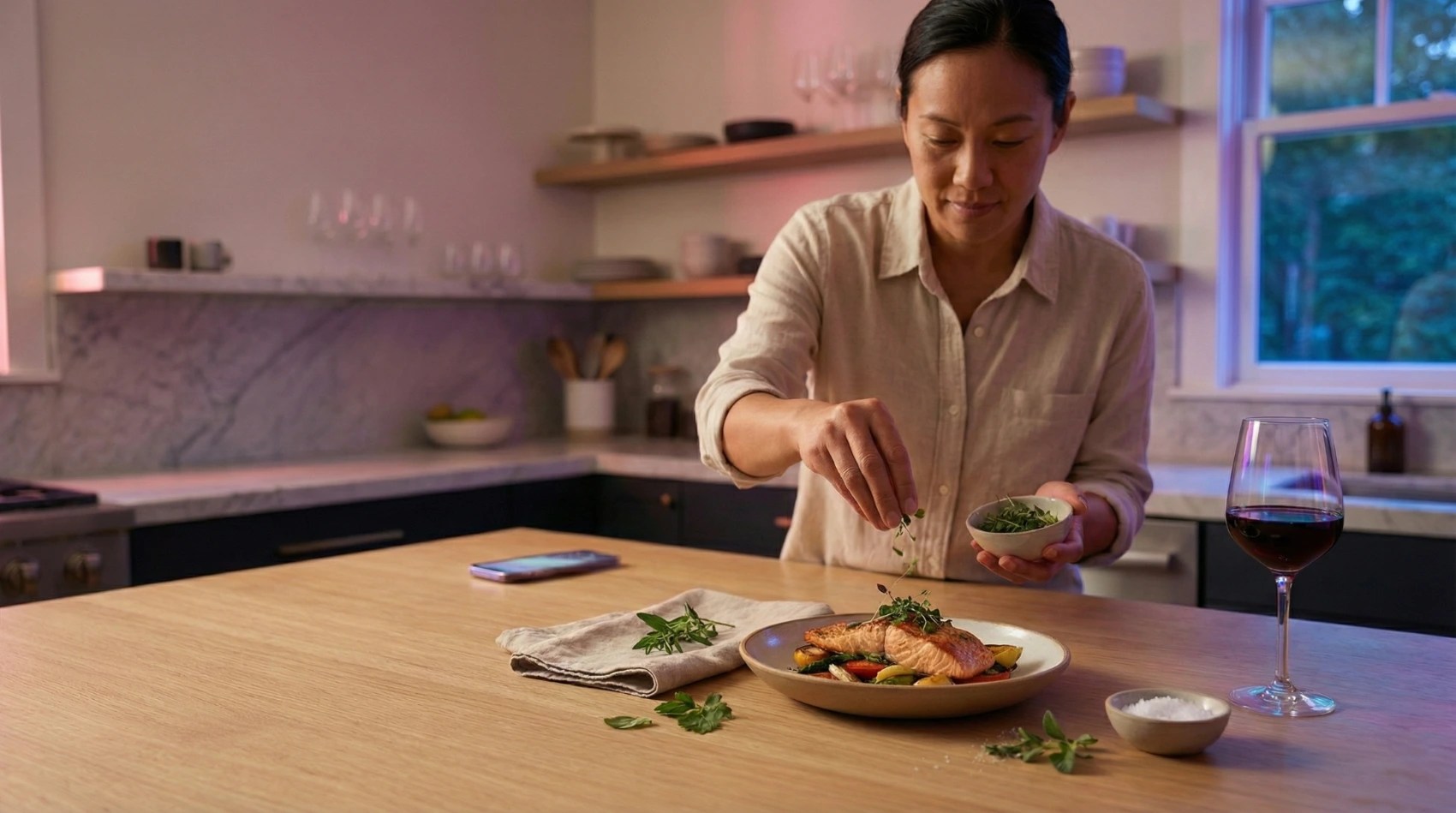
We reimagined how 4,000+ recipes could live in a curated mobile app for Good Housekeeping UK, enhancing a proven platform with custom-built features.
Good Housekeeping UK, Britain’s biggest and most trusted women’s lifestyle brand, had a powerful asset: a massive library of 4,000+ triple-tested recipes. But it didn’t yet have a mobile experience purpose-built for cooking. Their partner, Pugpig, powers the mobile app experience behind many of Hearst UK’s titles by providing a reliable foundation for presenting content sourced from existing CMS platforms. For Good Housekeeping UK’s vision of a deeply interactive cooking experience, Fueled extended that foundation with custom features tailored to recipes and hands-on use cases.
Backed by research into the Good Housekeeping audience and how people plan and prepare meals using digital tools, we helped shape an experience that makes answering “What’s for dinner?” delightfully simple inside what became the Good Housekeeping Kitchen app.
Strategy & UX Insights: A Standalone App, Built for Utility
It became clear early in discovery that Good Housekeeping’s recipes deserved to be more than a feature inside of a magazine app. Readers were looking for everyday inspiration and practical help in the kitchen. The opportunity wasn’t to repurpose content; it was to create a dedicated experience built for daily utility.
Through research and content audits, we defined a product strategy centered around a standalone cooking app. The Good Housekeeping Kitchen app would target both loyal readers and a broader audience looking for daily meal inspiration. More than just a repackaging of magazine content, the app would support repeat engagement: becoming part of someone’s daily routine, not just their weekend reading.
Following the strategic brief from Good Housekeeping UK, Fueled led the vision, strategy, and UX, shaping a product that married Pugpig Bolt’s dependable infrastructure with the flexibility of custom-designed modules that make the app stand out in a saturated market.
Designing End-to-End, Within Platform Constraints
Fueled took on end-to-end product design, collaborating closely with both Good Housekeeping and Pugpig. We crafted the UX and UI across the entire experience, including screens generated by Bolt’s native templates, to create a seamless, consistent interface.
This required thoughtful navigation of the Bolt platform’s structural conventions, as our designers layered in Good Housekeeping’s brand and new, user-focused flows. Through an iterative process with Pugpig’s team, we ensured that custom features like swipeable recipe cards and a “Cooking Mode” would integrate cleanly into the platform’s architecture.
The result is a modern, cohesive experience. Every screen, whether native or custom, speaks the same visual language. Warm, welcoming design rooted in Good Housekeeping’s editorial style is paired with thoughtful UX patterns that support every kind of cook.
Swipe-to-Discover: A New Answer to “What’s for Dinner?”
At the heart of the app is a swipe-based discovery feature, conceived and built by Fueled to make the nightly dinner decision feel less like a chore. Modeled after popular dating apps, the “Inspire Me” feature presents recipes as cards: swipe right to save, swipe left to skip.
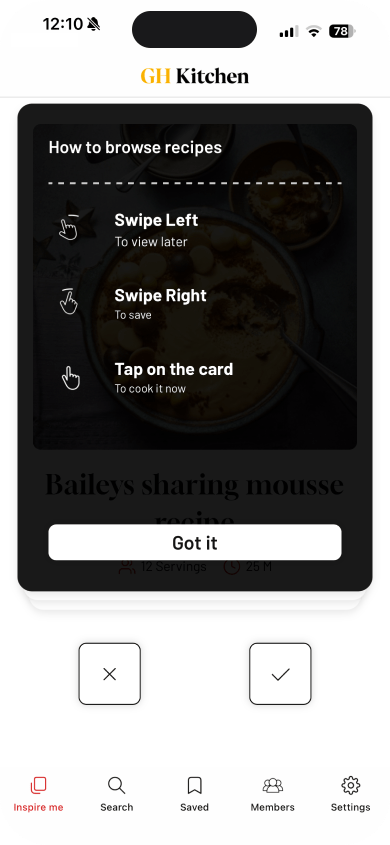
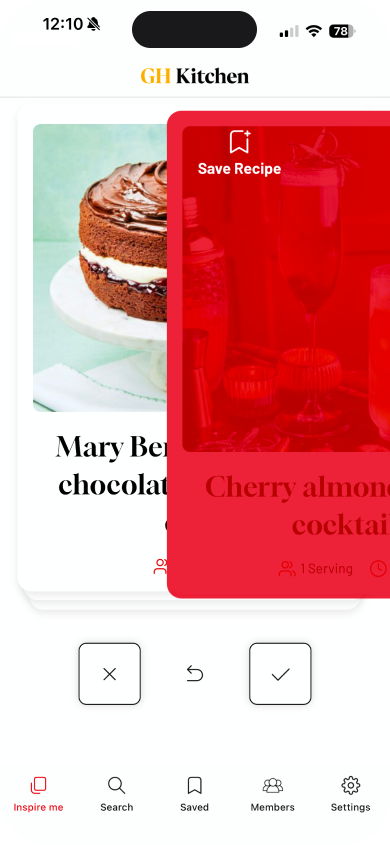
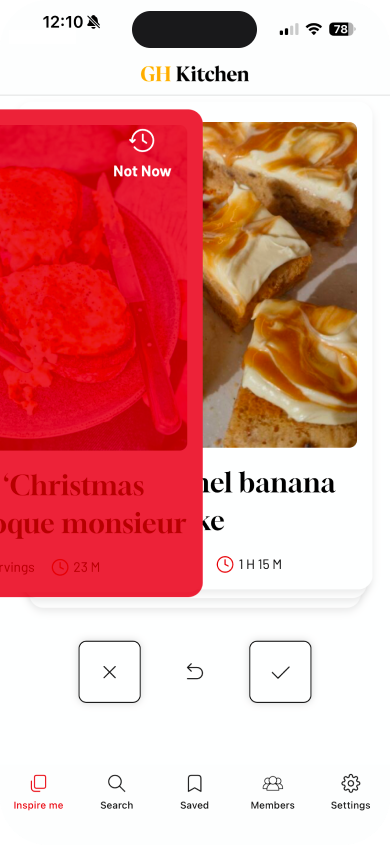
It’s fast, visual, and low-effort, helping cooks make intuitive decisions without digging through filters or search results. Right-swiped recipes are automatically saved to Favorites, and cooks can create custom folders for organizing them, such as “Weeknight Dinners,” “Brunch Ideas,” or “Vegetarian Mains.”
The swipe experience isn’t random – it’s personalized. Preferences like dietary needs and ingredient aversions fine-tune what shows up in the swipe deck, while seasonality and editorial curation keep the experience fresh.
We also built the deck to include call-to-action cards: newsletter signups, competitions, and promotions, all delivered through the same swipe interface. It’s an elegant way to blend editorial engagement with promotional needs, without ever disrupting the experience.
Built for the Kitchen, Not Just the Screen
Once a recipe is selected, users can enter Cooking Mode: a step-by-step view designed for clarity and ease in the kitchen.
Each recipe is reformatted into large, readable steps with simple navigation between ingredients and instructions. Step-by-step progression makes it easy to stay on track while cooking. We ensured the screen stays awake while in use, avoiding mid-recipe screen locks. Every detail, from font size to contrast, was considered for visibility and ease of use… even with one hand holding a spoon.
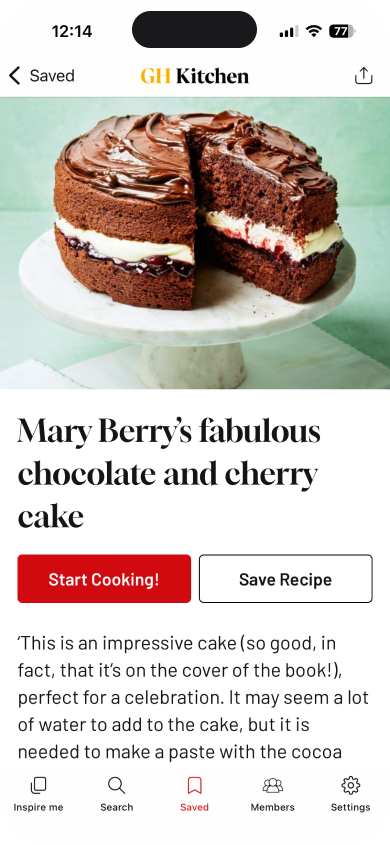
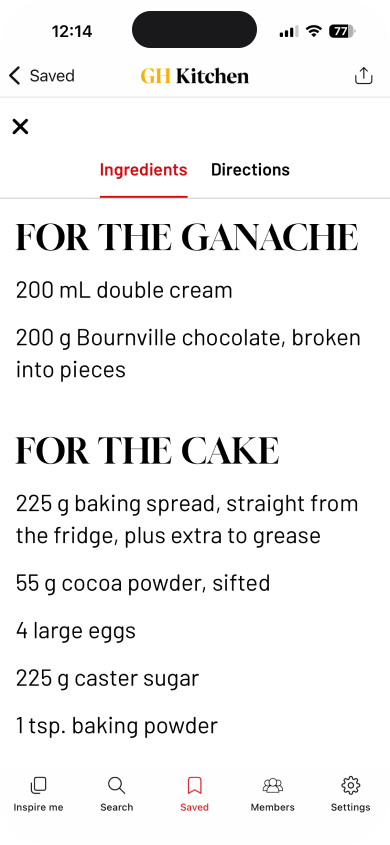
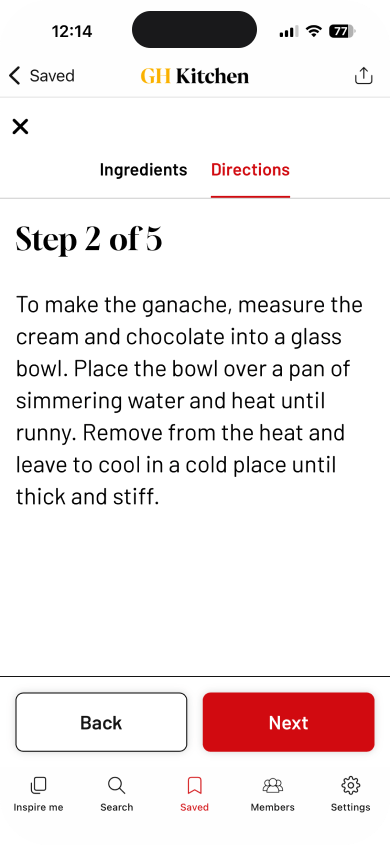
Cooking Mode follows a familiar design pattern in recipe apps, but for Good Housekeeping, getting the experience right was critical. It reinforces the brand’s commitment to helpfulness, now delivered with digital convenience.
Personalization and Editorial Curation
Personalization is built into every layer of the experience. Cooks can filter recipes by dietary needs (vegan, gluten-free, etc.), while curated collections highlight seasonal ideas, special occasions, and even guest collections from well-known chefs and culinary personalities.
We made it simple for editors to manage these collections through their existing content management system, WordPress. Collections can be updated, reordered, and refreshed to reflect real-world events and content cycles, without app updates or developer intervention. This editorial control also extends to the swipe experience: editors can feature seasonal recipes, promotional cards, or themed collections directly in the swipe deck, effectively programming the app around real-world moments without developer support.
The Favorites system goes beyond basic bookmarking. Cooks can create and name multiple lists, mirroring how they organize recipes and plan meals. It’s a flexible structure that supports casual browsers and power users alike.
Structured Content, Synced from the Source
All content in the app – including recipes, collections, and swipe cards – is synced from Good Housekeeping’s website. Fueled collaborated with the editorial and engineering teams to define a structured content model that supports smart filtering, tagging, and dynamic search.
That meant working with their team to refine how content is tagged and structured for app integration. The legacy recipe archive had been built over years, with inconsistent tagging and limited structure. Fueled worked closely with Hearst UK’s global engineering team to define a schema and identify the key metadata (cuisine, seasonality, dietary flags, chef attribution, etc.) that accounted for this variability and would unlock the features the app demanded.
The result is an intuitive search experience that surfaces not just individual recipes but curated groupings and collections, all based on tags and context. Updates on the site are reflected instantly in the app, keeping everything in sync without requiring dual maintenance.
Custom Engineering on a Hybrid Platform
Working within Pugpig’s hybrid framework, Fueled engineered custom features like the swipe interface and Cooking Mode, built as React-based web views integrated into the native Bolt shell. This level of customization was a first within the Bolt ecosystem, pushing beyond documented capabilities and requiring close collaboration with the Pugpig team to deliver something truly unique inside a standardized framework.
Using Pugpig’s bridge API, we enabled two-way communication between our custom modules and the native layer (for elements like authentication and analytics), and the native shell delivers data to our modules. From the user’s perspective, the app feels completely native: transitions are fluid, screens load instantly, and there’s no visual dissonance between the two.
This modular approach let us push the experience further within the Bolt ecosystem, balancing reliability with flexibility. And we did it fast: the app was delivered in under 600 build hours, on budget and on schedule.
Early Praise, Long-Term Promise
Good Housekeeping Kitchen launched simultaneously on iOS and Android in late 2025, and quickly earned praise for its polish and usability, earning a 4.8 rating on the App Store within weeks of launch.
The new app, with an architecture built to support growth and expansion, successfully elevated Good Housekeeping’s recipe library into a daily tool for meal inspiration. By simplifying the path from idea to dinner, it strengthens the brand’s relevance with a new generation of cooks.