
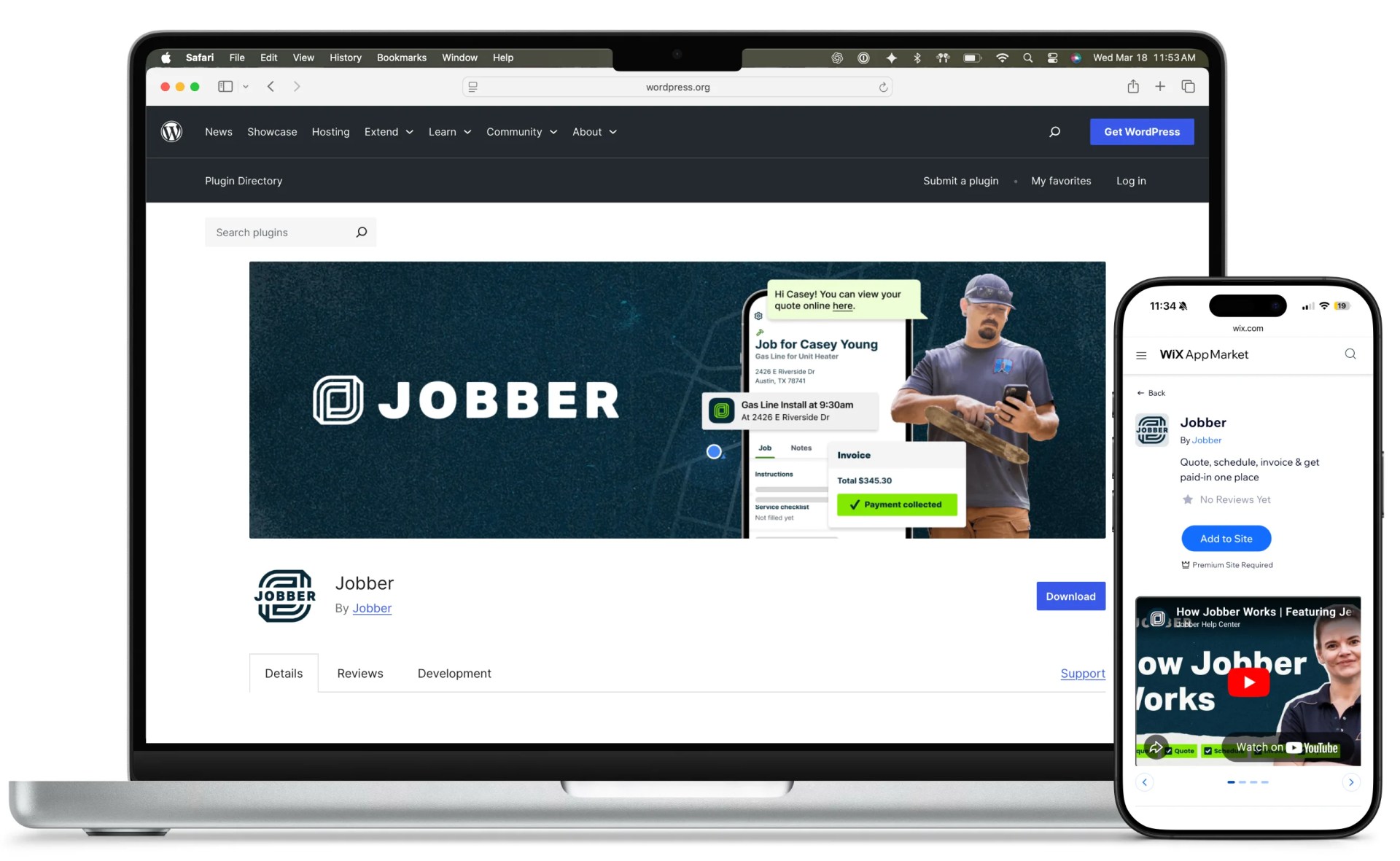
We built integrations for WordPress and Wix that make it easy and secure for small businesses to embed Jobber’s scheduling tools on their websites.
Jobber powers scheduling, invoicing, and customer communication for small service businesses, especially in home services, including landscapers, cleaners, HVAC technicians, and plumbers. For many of these businesses, their website is the primary acquisition channel. The faster a visitor can move from discovery to booking, the more reliably that website drives revenue.
Those same businesses often rely on easy-to-manage website platforms like WordPress and Wix. Connecting those sites to a SaaS product like Jobber can introduce friction, especially when setup requires technical steps or custom development.
Jobber partnered with Fueled to remove that friction and turn booking into a native capability of the websites their customers already use. Drawing on the expertise of Fueled’s 10up WordPress practice, we designed and delivered integrations for both WordPress and Wix.
The objective was clear: make adding booking to a website as simple as adding content.
Delivering that outcome required a deliberate product strategy and a scalable integration architecture.
Designing the right integration strategy
Jobber’s goal was to let customers capture bookings and service requests directly from their websites. The challenge was delivering that capability across multiple platforms in a way that could scale.
Early in the engagement, we worked closely with Jobber’s product and engineering teams to evaluate two paths.
Option 1: Rebuild the front-end experience natively in each platform. The plugin or app would render the full booking interface inside WordPress or Wix, communicating with Jobber’s APIs behind the scenes. This approach gives site owners far more control over how the booking experience looks and behaves on the site. Technically savvy teams can design the form to match their brand, layout, and interaction patterns. The result feels like a seamless part of the website rather than a window into an external tool. That level of control comes at a cost, however, requiring the experience to be rebuilt and maintained separately for every platform.
Option 2: Embed a shared Jobber experience with native CMS integration. Each platform would provide a native setup and placement experience, while embedding Jobber’s booking flow directly into the page. Instead of rebuilding the interface, the integrations would place Jobber’s own booking experience inside the site.
Choosing the right approach required a clear understanding of the customer. Jobber primarily serves small service businesses that prioritize speed, simplicity, and reliability over deep customization. For these users, the fastest path to “it works” is more valuable than full control over every UI detail.
We helped Jobber pressure-test both approaches against those realities. The embedded model delivered the better outcome: faster to implement, easier to maintain, and far more portable across platforms, without compromising the core booking experience.
That decision established a repeatable integration model Jobber could efficiently extend beyond WordPress and Wix.
Simplifying authentication and setup
The goal is simple: make it easy for visitors to book. The challenge is making it easy and safe for small business owners to set up that capability.
Without additional infrastructure, connecting a WordPress or Wix site to Jobber would have required a developer-style flow: create an app in Jobber, choose permissions, copy credentials, paste them into the site, and complete the connection. That approach works for more technically savvy site owners, but it is too technical for small business owners and leads to drop-off.
The first big problem to solve was creating a simple, secure, site-driven way to initiate and complete that connection without exposing users to those underlying steps or encouraging unsafe handling of credentials.
To remove that barrier, we designed a shared middleware layer that simplifies authentication and API communication across platforms.
At a high level, the middleware acts as a secure intermediary between each integration and Jobber’s platform. When a site owner clicks Connect Jobber, the middleware manages the authentication flow, token exchange, and API requests behind the scenes.
From the user’s perspective, setup becomes a simple login and approval flow.
Under the hood, the service centralizes authentication, manages tokens, and provides a consistent API contract for both WordPress and Wix. Built on a modern Node.js stack, it creates a reusable integration layer that avoids duplicating logic across platforms.
The impact is clear: faster setup, fewer abandoned integrations, and a foundation that supports future channels without reworking core infrastructure.
Building a native WordPress experience
With the integration model defined, Fueled developed a WordPress plugin for Jobber that fits directly into WordPress’s editorial workflow.
After installing the WordPress plugin, site owners connect their Jobber account from the WordPress dashboard. Editors can then add booking functionality to any page using a native block in the visual block editor.
The block allows editors to choose between a booking flow or a service request flow and preview the experience in context while editing.
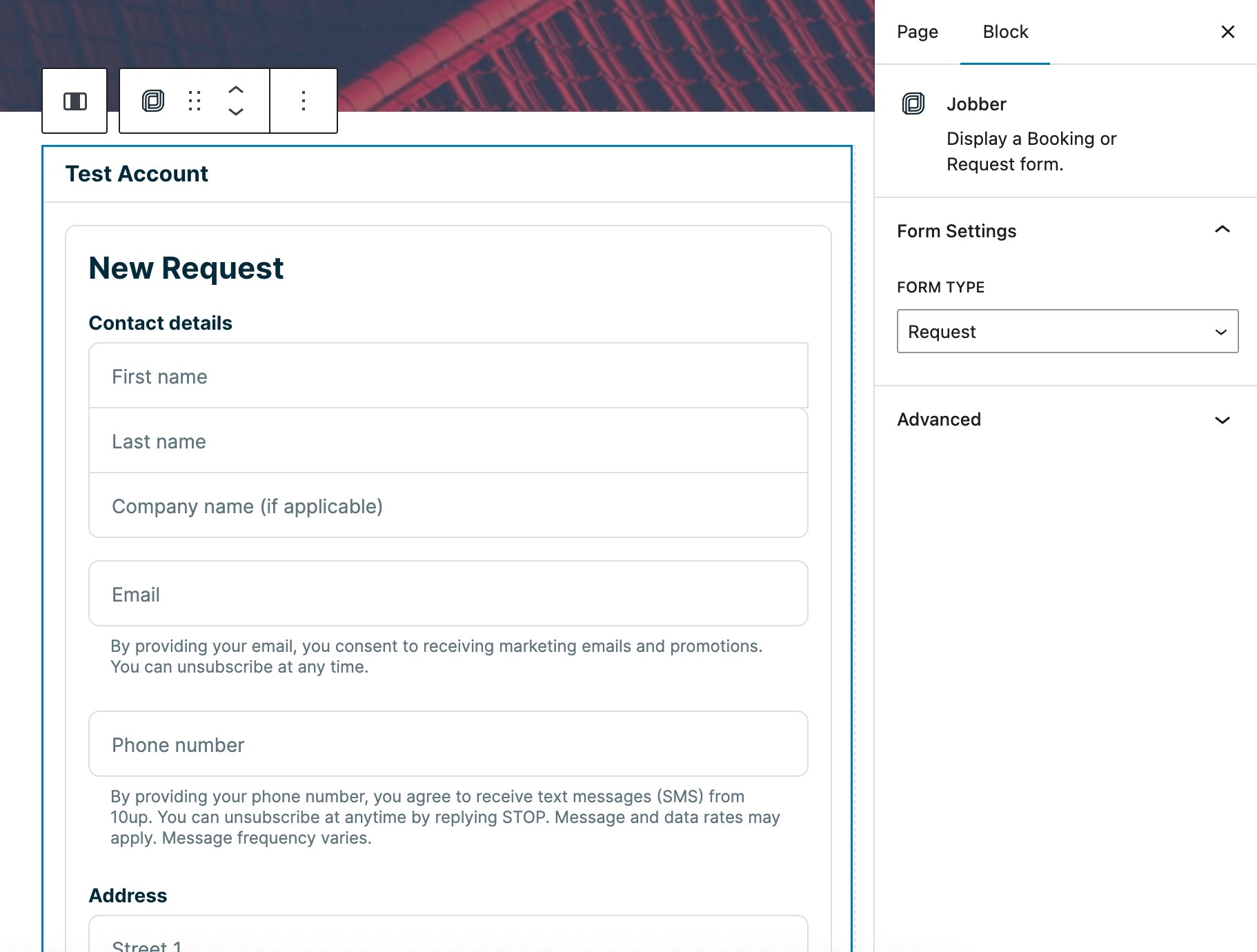
Behind the scenes, the plugin retrieves the appropriate form experience from Jobber and renders it within the page. On the front end, visitors complete the booking flow without leaving the site, and submissions are processed directly in Jobber, creating new clients or service requests automatically.
The result is a familiar publishing experience for WordPress users paired with a reliable, platform-owned booking flow.
Extending the integration to Wix
Wix required a different implementation model, with integrations delivered as apps through the Wix App Market.
Fueled developed a native Wix app for Jobber using Wix’s CLI framework with a React and TypeScript stack. After installation, site owners connect their Jobber account through the same streamlined flow used in WordPress.
Within the Wix editor, they can add a Jobber widget, select the type of form to embed, and place the booking experience directly into their layout.
The Wix app relies on the same shared middleware layer, ensuring consistent authentication and API communication across platforms.
Implementing the embedded experience inside Wix required additional platform-specific handling. The integration manages how Jobber’s scripts load and execute within Wix’s environment so the booking flow remains responsive and stable across devices.
The result is an experience that feels native to Wix while preserving Jobber’s core functionality.
A foundation for growth
Businesses using WordPress and Wix can now connect Jobber and add booking functionality to their websites in minutes.
For small service providers, that reduces friction between discovery and conversion. For Jobber, it creates a more effective way to distribute booking capabilities across the platforms their customers already use.
More importantly, the architecture behind these integrations establishes a scalable path forward. The shared middleware and integration model can support additional platforms without requiring a full rebuild each time.
This project reflects a broader pattern: successful integrations are not just about connecting systems. They require aligning product decisions, user needs, and technical architecture into a model that can scale.
By combining product strategy with practical engineering, Fueled helped Jobber move from isolated integrations to a cohesive, extensible integration ecosystem.