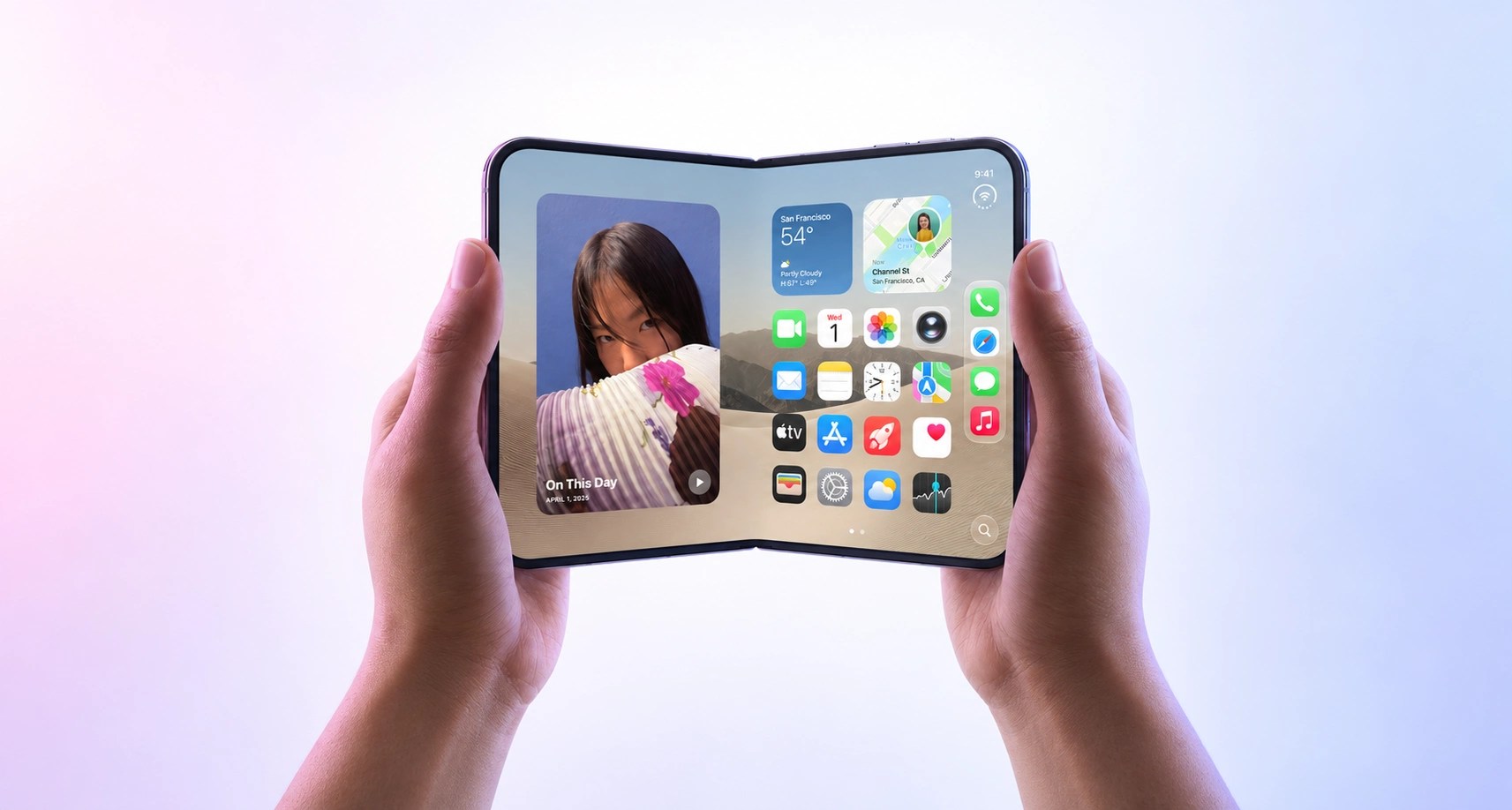


iOS 27 is here, bringing refinements to Apple’s Liquid Glass design and a more capable Siri. Generating even more buzz is Apple’s first foldable phone, iPhone Duo, which goes on sale October 23.
For businesses that make apps, iOS 27 and iPhone Duo open up new opportunities for customer engagement. From product filters that aren’t hidden behind a menu to stats and commentary right next to video, iPhone Duo can unlock whole new experiences on a phone. With the new Siri, apps can enable customers to grab information and complete tasks without opening the app.
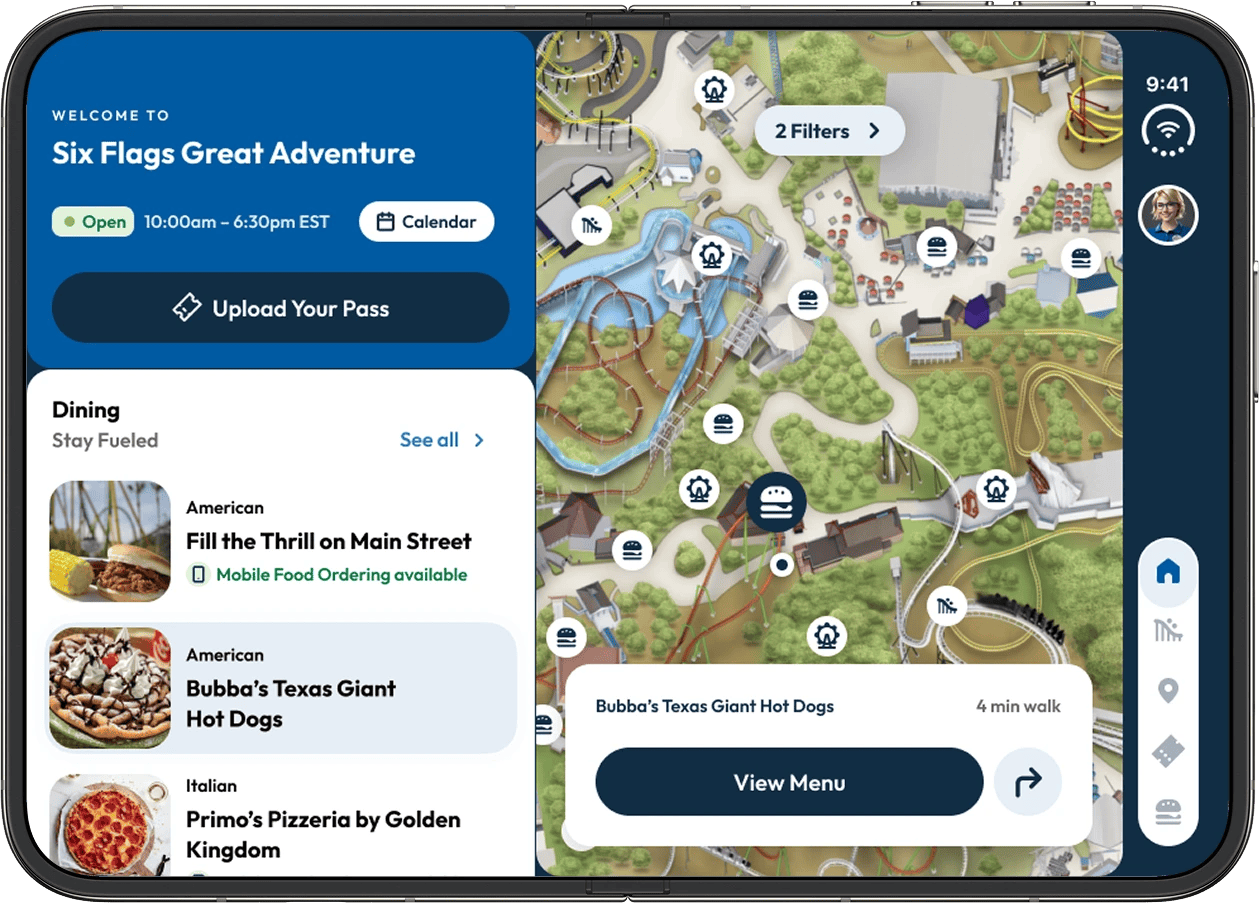
Organizations that move quickly to invest in these experiences have a chance to win over early adopters and influencers, and draw in consumers with higher disposable income.
Apps already built with Apple’s native UI components have a big head start in adapting to the Duo and need little work to adopt iOS 27’s design refinements. Teams maintaining custom interfaces take on more of that work themselves. That difference becomes more consequential as new screen shapes emerge and device interfaces evolve more quickly. It’s a moment for some app makers to reevaluate their overall approach to app development.
Build on the platform, not on top of it
Apple often changes how familiar controls like menus, buttons, and toggles look and where they sit on screen with new iOS and device releases. This year is no exception. iOS 27 refines Liquid Glass in its second year, giving users more control over its appearance. The iPhone Duo introduces a wider screen shape, even when closed, prompting Apple to move navigation and common controls from the top and bottom of the display to its side.
Apps built with Apple’s own controls and layouts get many of these improvements with a routine update. Teams that build their own versions of Apple’s controls have to recreate those changes themselves. That recurring work eats into the savings promised by some “build once, run everywhere” tools.
With the pace of change accelerating, a native foundation is becoming more valuable, especially in light of AI-assisted coding reducing the cost of building and maintaining native apps. Before investing further in a shared, custom-built interface, businesses should revisit whether a capital investment in a more native approach offers better value.
There’s still a place for cross-platform frameworks, particularly where they share the logic, not the pixels. Frameworks such as React Native, when used with native controls, can reuse data and logic across iOS and Android while rendering each platform’s own controls and layouts, offering the best of both worlds. Kotlin Multiplatform (KMP) lets teams write networking, data storage, and business rules once in Kotlin, and then build each interface with native tools.
A custom interface, built on cross-platform frameworks like Flutter, can still be the right choice for a game or a distinctive design that doesn’t try to simulate a native UI. Adapting these to iPhone Duo calls for deliberate design work: deciding what belongs on the outer screen and where controls go.
| How the app is built | Looks like iOS | Looks distinctive |
|---|---|---|
| Apple’s own building blocks | Native and familiar: routine updates. | Native and distinctive: brand identity with familiar behavior. |
| Custom-built interface | Custom by accident: recurring catch-up costs. | Custom on purpose: deliberate design work for new screen shapes. |
Native does not have to mean generic. Brand identity lives in color, typography, imagery, content, and voice. Familiar controls can make a distinctive app easier to use.
Make unfolding part of the experience
With an unfolded screen nearly the size of an iPad mini’s, the iPhone Duo opens up possibilities for more immersive experiences and interfaces that let customers see and do more at once. Opening the phone can become a natural way to reveal more of the experience.
Consider what that could look like:
- Retail: browse products on the closed phone, then unfold to reveal filters beside the results or compare selected products side by side.
- Media and sports: watch a game on the outer screen, then unfold to reveal live stats and commentary alongside the video, with the option to switch to full-screen viewing.
- Travel: browse hotel listings on the closed phone, then unfold to see those same results beside a map, preserving the current selection.

- Fitness and food: choose a workout or recipe on the closed phone, then set it half open for a hands-free view, with instructions above and controls below.
- In-store shopping: a sales associate checks stock on the closed phone, then unfolds it to help a customer compare products, explore available colors and configurations, and build an order together.
Netflix already illustrates the value of tailoring the experience to each screen, with quick clips on the outer display and a fuller viewing experience inside.

Let customers get things done through Siri
The new Siri can find information in apps and complete supported tasks across them. A shopper could ask it to share a product with their partner. Customers can describe what they need instead of navigating menus, and complete some tasks without opening the app.
Developers need to make the app’s content and actions available to Siri. Start with the information customers need and the tasks they repeat, then assess which experiences can be built with Apple’s Siri integration tools.
That makes your app easier to use on the go and its content easier to find through Siri, Spotlight search, and other parts of iOS. As AI becomes a routine part of using a phone, customers will increasingly expect their apps to work this way.
Small audience, big wallets
At roughly $2,000, the Duo is a premium purchase in a category that still represents about 1% of US smartphones. But audience size tells only part of the story.
Book-style foldables already reach affluent customers: 28% of Galaxy Z Fold7 owners live in households earning at least $100,000, versus 18.5% of smartphone owners overall, according to Recon Analytics.
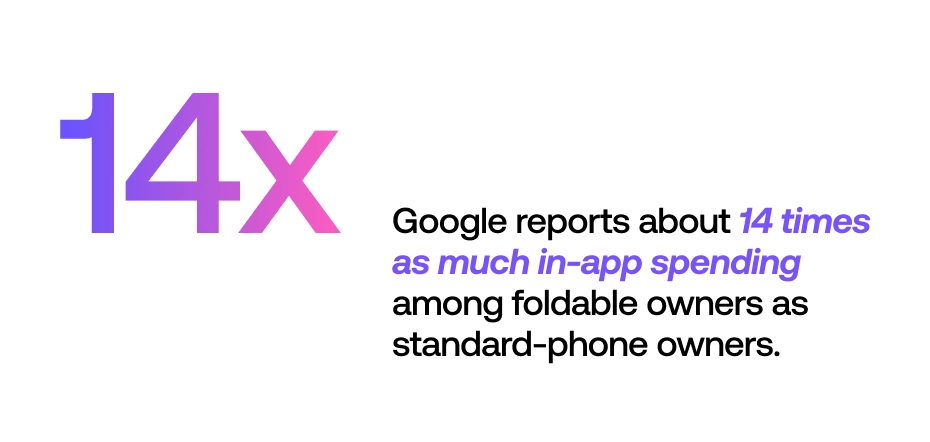
On Android, Google reports about 14 times as much in-app spending among foldable owners as standard-phone owners. For app makers, that is a strong reason to look at the value of these customers alongside their numbers.
For brands that serve this audience, moving early offers five advantages:
- First impressions: give customers exploring their new phone an experience that earns your app a place in their daily routine.
- App Store visibility: Apple’s editors spotlight apps that embrace new designs and hardware. Leaning into iPhone Duo gives an app a real shot at the marketing lift that comes with being featured.
- Recommendations: give reviewers, creators, and enthusiastic customers something worth demonstrating and sharing.
- Holiday timing: the October 23 launch puts these new experiences in customers’ hands during peak shopping and gifting.
- A timely story: “great on iPhone Duo” gives you a reason to promote your app while the device is new and attracting attention.
What to fund now, next, and later
Now: prepare your app and reassess its foundation. Prepare an app release that incorporates iOS 27’s design updates and works well with iPhone Duo’s displays. Test essential customer journeys as the phone opens, closes, rotates, or shares the screen with another app. If routine platform changes keep requiring extensive interface rework, assess whether investing in a more native foundation offers better value. That decision should inform what you build next.
Next: invest in a standout experience. Choose a Duo experience that makes a valuable customer interaction meaningfully better, whether that’s comparing products, following a game, or helping a sales associate serve a customer. Alongside that work, identify where Siri could make frequently needed information and tasks easier to access.
Later: build on what works. Use customer response and business results to guide further investment. Expand the experiences that improve engagement, sales, or service, and explore additional opportunities across the Duo’s screens and positions.
Make this fall’s update count
Fueled can help you modernize your app’s foundation to reduce ongoing maintenance costs, and design and deliver new customer experiences for iOS 27 and iPhone Duo. Let’s talk about what’s next for your app.