

WordPress 7.0 is here, with a new AI services connectivity feature that gives developers shared plumbing for AI providers, unlocking a faster path to new AI-powered experiences while giving site owners governance and control over the services they choose. This release also includes quality-of-life improvements that make WordPress better for content teams: a subtly modernized admin interface, clearer visual revisions, and simpler handling for reusable editor patterns.
Paired with this launch is version 1.0 of the official WordPress AI plugin, shedding its previous “AI Experiments” name. Heavily inspired by ClassifAI, Fueled’s AI plugin for WordPress that dates back to 2018, the WordPress AI plugin has been led by Fueled as part of our work with the WordPress AI Team.
Collectively, these updates point to a CMS that is becoming more capable while retaining the flexibility, control, and content focus that make WordPress work at scale.
Building on a 15+ year legacy of contribution that started at 10up and continues at Fueled, our team was deeply involved in WordPress 7.0, well beyond our stewardship of the AI plugin. Twenty-one Fueled team members contributed to the release, with Ankit Gupta serving as Release Test Lead and Mukesh Panchal serving as Release Tech Lead. Engineers Peter Wilson and Fabian Kaegy were recognized as Noteworthy Contributors.
That work reflects the role we continue to play in the WordPress ecosystem: not only building ambitious WordPress experiences for clients, but helping shape the platform itself.
WordPress 7.0: New AI capabilities
WordPress 7.0 builds on the progress we highlighted in the 6.9 release cycle, where WordPress began moving from AI experiments toward more durable AI infrastructure.
AI Connectors hub
WordPress 7.0 introduces AI Connectors, a new hub for managing how WordPress connects to AI providers.
Until now, each AI-enabled WordPress plugin or theme had to solve the same problem independently: how to connect to outside AI services, manage credentials and provider settings, and give site owners a way to control those connections. Connectors bring that work into a more standard layer of the platform.
Developers get shared, trusted infrastructure for building AI-powered features, instead of having to recreate and maintain their own connection plumbing. Site owners get a clearer, centralized hub to decide which AI providers they want to use and securely configure them.
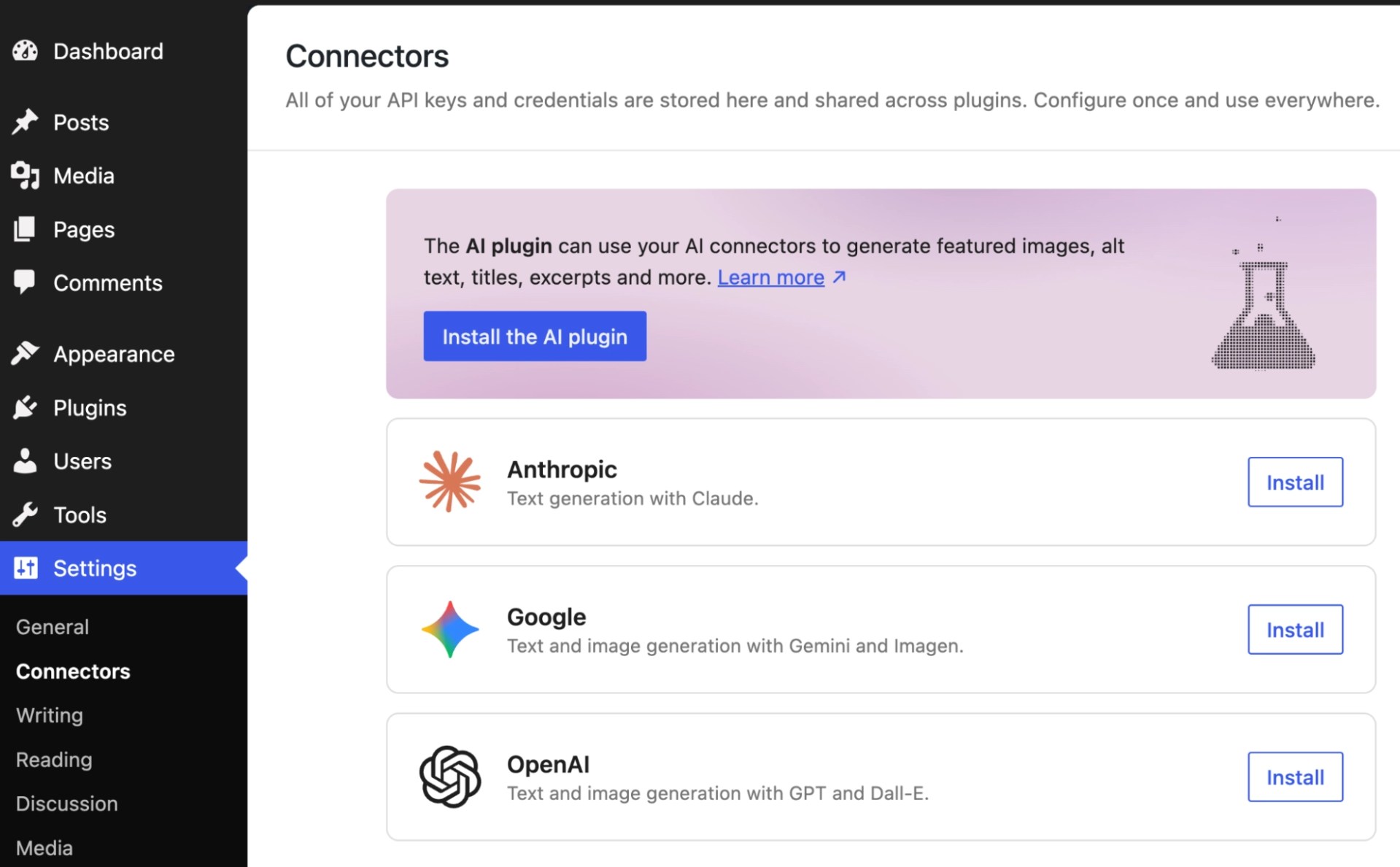
The official WordPress AI plugin showcases what Connectors make possible, using the new foundation to add practical editorial AI features like title and excerpt creation, image generation, and alt text suggestions directly inside WordPress, powered by the site owner’s preferred AI services and models. More than 30 service connectors are already available, in addition to support for popular providers like Google, OpenAI, and Anthropic.
Those connectors include Fueled’s AI Provider for Ollama, offering an open source, local, or self-managed option.
WordPress 7.0 does not automatically allow site content to flow into OpenAI, Anthropic, Google, or any other AI provider. Site owners must explicitly configure connections before AI services can be used. For organizations with stricter regulatory, privacy, or governance requirements, WordPress 7.0 also includes a code-level kill switch that can fully disable AI connector functionality.
Fueled Partner Jake Goldman’s GitHub Release Posts plugin is another good example of a more specialized AI utility plugin built on this emerging platform. The plugin monitors GitHub project repositories for new releases, then uses a connected AI model to generate blog posts about each release. The plugin points to the practical value of this infrastructure: developers can efficiently build focused AI features that rely on WordPress for provider connectivity, configuration, and governance.
Official WordPress AI plugin reaches 1.0
Alongside WordPress 7.0, the official WordPress AI plugin has shipped version 1.0, shedding its previous “AI Experiments” name.
What began as an experimental reference plugin is now the official home for practical AI capabilities in modern WordPress workflows. The plugin includes editorial tools like title, excerpt, and meta description generation; image generation and editing; accessibility features like alt text suggestions; content summarization and rewriting tools; AI-powered editorial review workflows; comment moderation; request logging and observability; and structured AI “Abilities” that plugins and themes can build on.

Features like Connector Approvals demonstrate how WordPress is approaching AI integration with governance and administrative control in mind, rather than treating AI services as implicitly trusted.
Fueled led the development of this official plugin. Our view is that essential CMS AI capabilities should have a canonical, open solution, with room for the ecosystem to contribute and build on top of it. That is better for site owners, better for developers, and better for the long-term health of WordPress.
That approach also gives our own ClassifAI plugin a clearer path forward. As the official WordPress AI plugin establishes a shared baseline for essential CMS AI features, ClassifAI can continue evolving toward more advanced enterprise workflows, governance needs, and specialized AI use cases.
We’ll share more soon about the WordPress AI plugin, Fueled’s role in shaping it, and what version 1.0 makes possible.
Editorial and admin design improvements
WordPress 7.0 also includes several improvements that make the everyday editing and administration experience feel more polished. These are not dramatic workflow changes, but they matter for teams that spend hours in WordPress reviewing content, managing layouts, and maintaining consistent design systems.
A refreshed WordPress admin experience
WordPress 7.0 includes a modest modernization of the WordPress admin interface and visual language.
This is not a complete redesign. Site managers may notice small visual refinements after upgrading: cleaner styling, a more modern feel, and a step toward better alignment between the traditional WordPress admin and the more contemporary design language of the block editor.
Fueled’s Fabian Kaegy played a lead role in shaping and delivering this upgrade, helping modernize the admin’s CSS and visual treatment as the work gained momentum inside the WordPress project.
Clearer visual revisions in the block editor
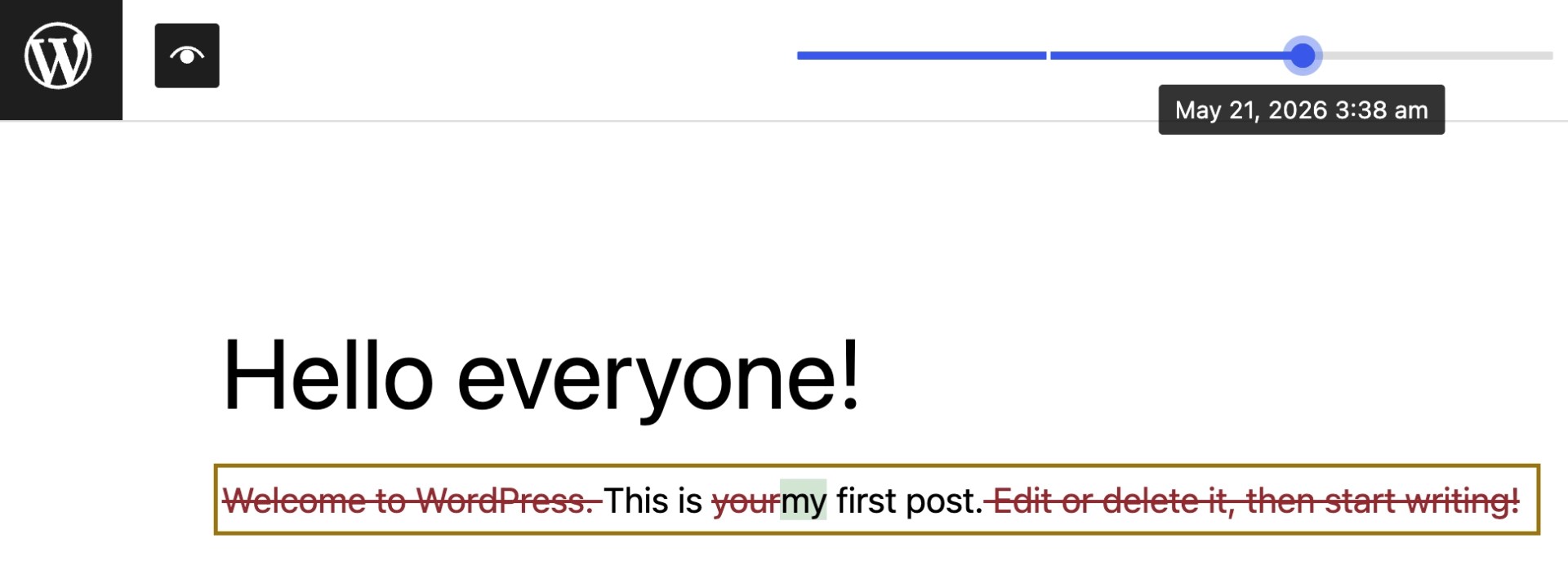
WordPress 7.0 introduces a clearer way to review changes inside the block editor, especially for pages where updates involve layout, styling, media, or block-level changes.
Visual revisions help make those changes easier to review in context. For editors, producers, and approvers, this can make the publishing process more confident and less dependent on interpreting abstract revision diffs.
Simpler editing for reusable patterns
WordPress patterns help teams reuse approved page sections, like hero areas, calls to action, article layouts, and promotional modules. They keep pages consistent, but editing them can require content creators to click through several nested blocks just to update a headline, image, or style.
WordPress 7.0 makes that experience simpler by allowing a pattern to behave more like one complete section. Content creators can make common updates without navigating the full structure behind the pattern, while advanced edits remain available when needed.
For teams using WordPress as part of a larger design system, this helps protect consistency without making everyday editing feel fragile.
Building the future of WordPress
These are only some of the updates included in WordPress 7.0. The release also includes broader improvements across the editor, APIs, performance, design tools, and developer experience. For a complete overview, the official WordPress 7.0 release page covers everything included in the release.
With 21 contributors from Fueled helping deliver this milestone, we’re proud to continue supporting the open source platform that powers over 40% of the web.
For our team, contribution is part of how we stay close to where WordPress is going and how enterprise teams need it to evolve. Our WordPress work sits at the intersection of product strategy, enterprise CMS implementation, platform integration, and open source contribution. We help organizations use WordPress as a serious digital foundation while contributing to the core platform those experiences depend on.
WordPress 7.0 is another step forward for the platform. We are proud to have helped shape it.