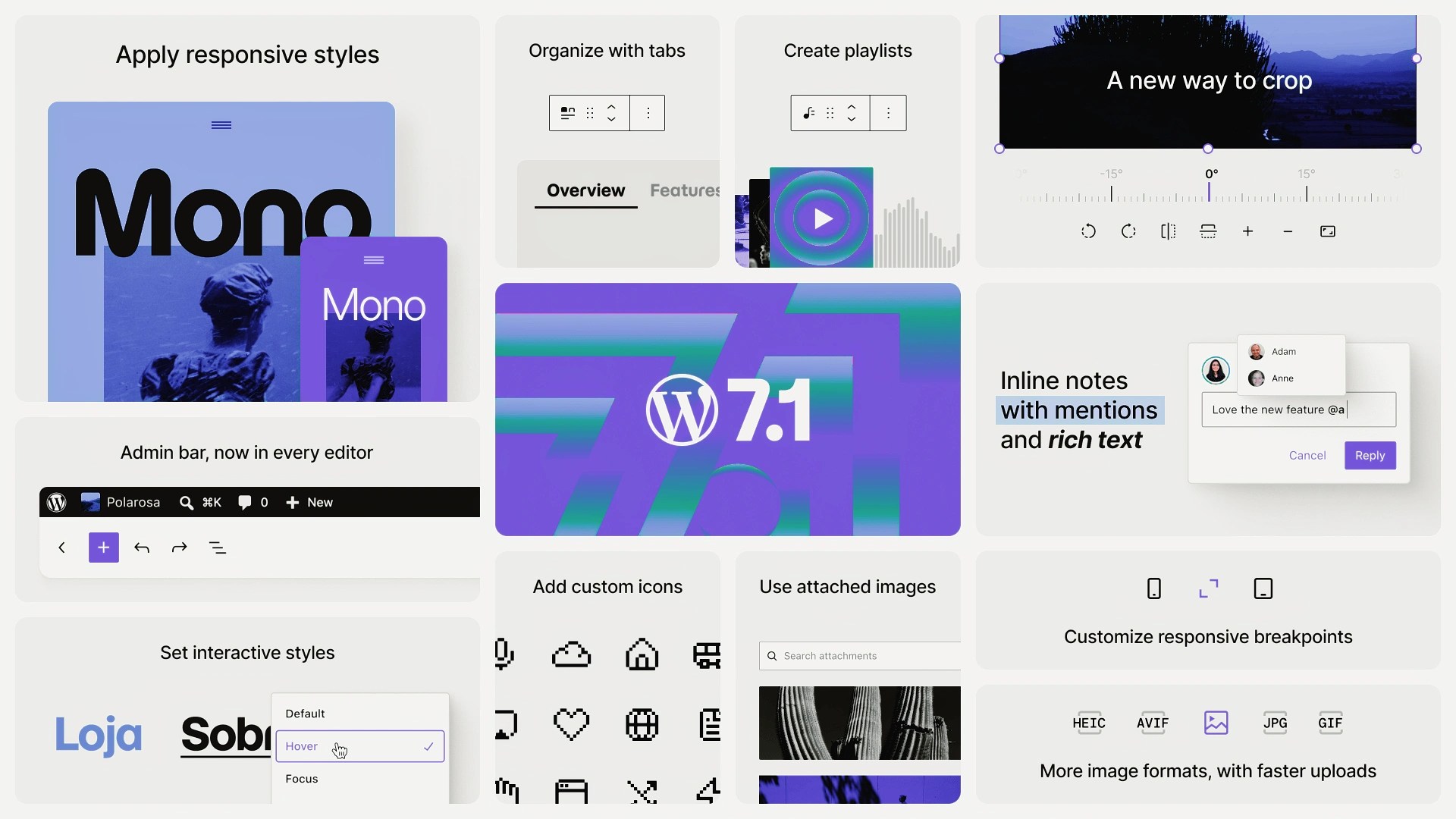

WordPress 7.1 is here, with new tools for responsive design, editorial collaboration, media management, and more. Fueled helped shape the release while continuing to lead the rapid development of the official WordPress AI plugin.
Nine Fueled team members contributed to WordPress 7.1, including two recognized as Noteworthy Contributors: Mukesh Panchal, Senior Web Engineer, and Peter Wilson, Lead Engineer. Since the AI plugin version 1.0 launched alongside WordPress 7.0, subsequent plugin releases have introduced new AI-assisted publishing workflows and more control over how AI connects with WordPress.
What’s New in WordPress 7.1
Easier styling for different screen sizes
The headline feature of WordPress 7.1 is responsive block styling. Designers and content creators can adjust block styling for different screen sizes directly in the editor, without custom CSS. They can style one block on a page or use Global Styles to apply styling changes to that block type across the site.
Resizable previews make it easier to see what a page will look like at different screen sizes while editing. Teams can also control how Button blocks look when visitors hover over them, navigate to them by keyboard, or press them.
Together, these tools make it easier to adapt pages for different devices and interactions.
Editorial collaboration tools keep getting better
WordPress 7.1 expands Notes, the collaboration feature introduced in WordPress 6.9. Editors can now attach notes to specific text within a block, add multiple notes to the same block, and @mention colleagues to bring them into a conversation.
For editorial teams, this makes feedback more precise and brings more of the collaborative review process directly into the WordPress editor.
Faster media editing and management
WordPress 7.1 introduces a new media editor that speeds up common image-editing tasks by letting content creators crop, rotate, flip, and update image details in one place.
The release also lets WordPress resize and compress images locally in the browser before they reach the server. Sending smaller files can reduce upload times on slower connections and the amount of work WordPress servers need to do.
And with infinite scrolling now on by default, content creators can browse large media libraries without stopping to load the next page.
Other new features and improvements
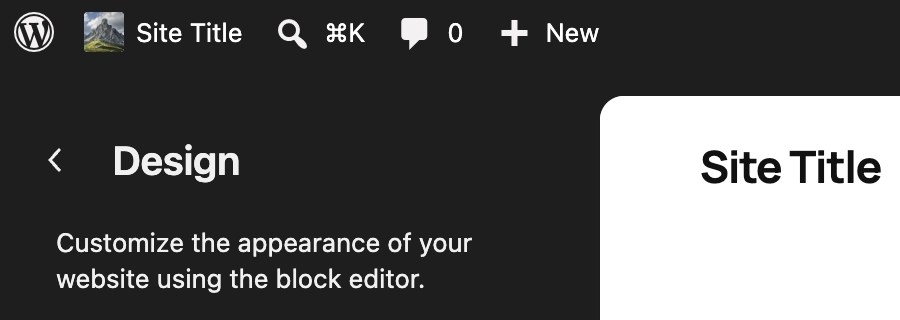
WordPress 7.1 also keeps the admin bar visible across the Post and Site Editors, making it easier to move between content, site-wide design, WordPress administration, and the front end of a site.
The release adds built-in Tabs and Playlist blocks, support for custom icon libraries, modern image formats such as AVIF and HEIC, and accessibility updates across the editor and WordPress administration. We have long delivered patterns like tabs through custom component libraries for clients. Bringing common features into WordPress Core gives more teams a maintained, supported starting point, while custom components remain valuable when an organization’s brand or product requirements call for something more specialized.
What’s new in the official WordPress AI plugin
Now at version 1.3.0, the official WordPress AI plugin includes new experiments for writing, comment moderation, editorial review, translation, and managing how AI connects with WordPress.
Keeping these features in a plugin rather than WordPress Core makes them optional for site owners with different views on AI’s role in their software and workflows. It also lets us introduce new features and improvements much faster than the Core release cycle allows.
Editorial Review can identify potential improvements and add them as Notes, including missing alt text and editorial or SEO recommendations.
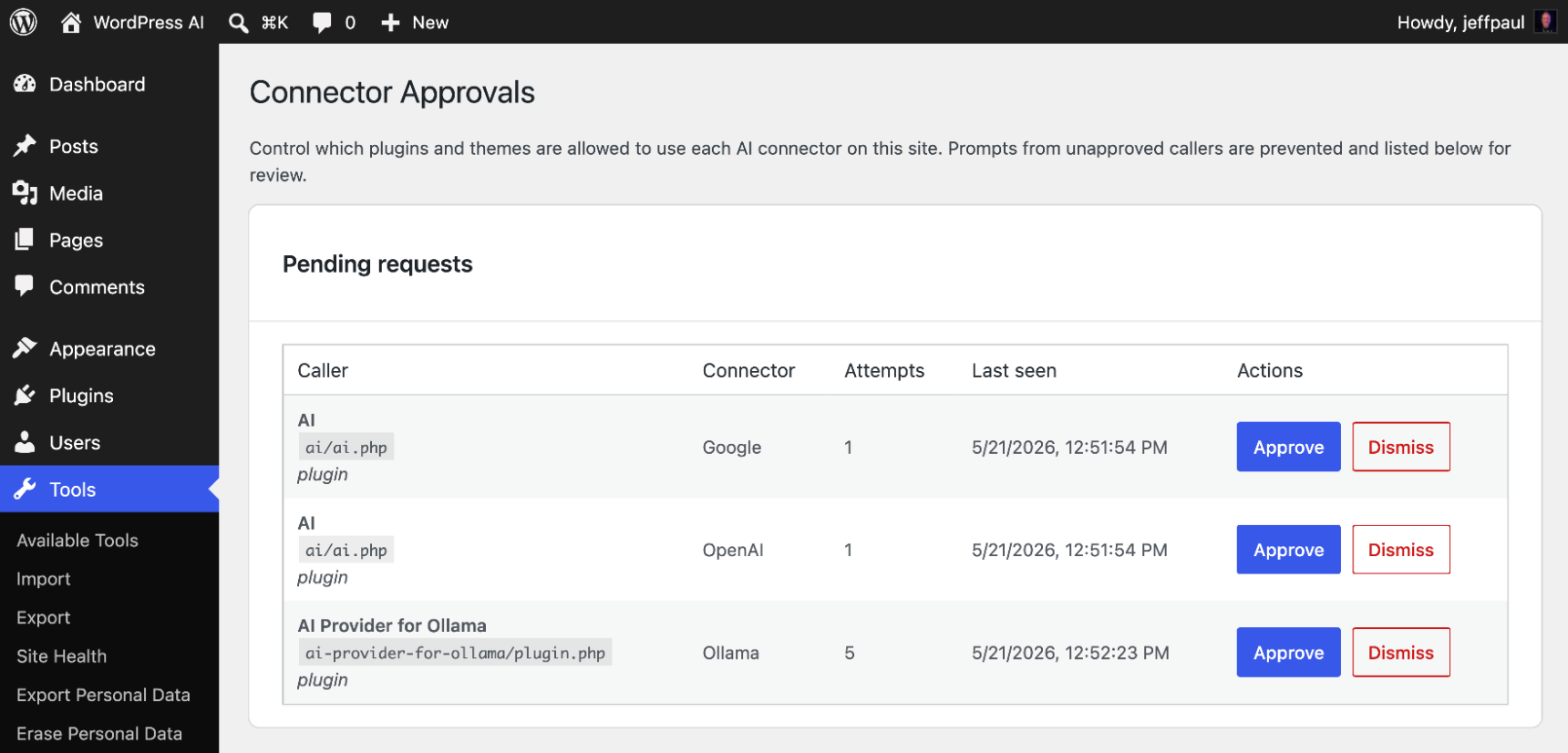
New controls add safeguards and more granular permissions for AI. When Key Encryption is enabled, credentials used to connect AI services are encrypted before WordPress stores them. Administrators can also approve which plugins may use those connections, and access to site content, settings, or user information must be intentionally enabled.
Settings can now be moved between sites. Administrators can export non-sensitive AI plugin settings and import them elsewhere, helping teams keep configurations consistent across development, staging, and production without moving credentials or API keys.
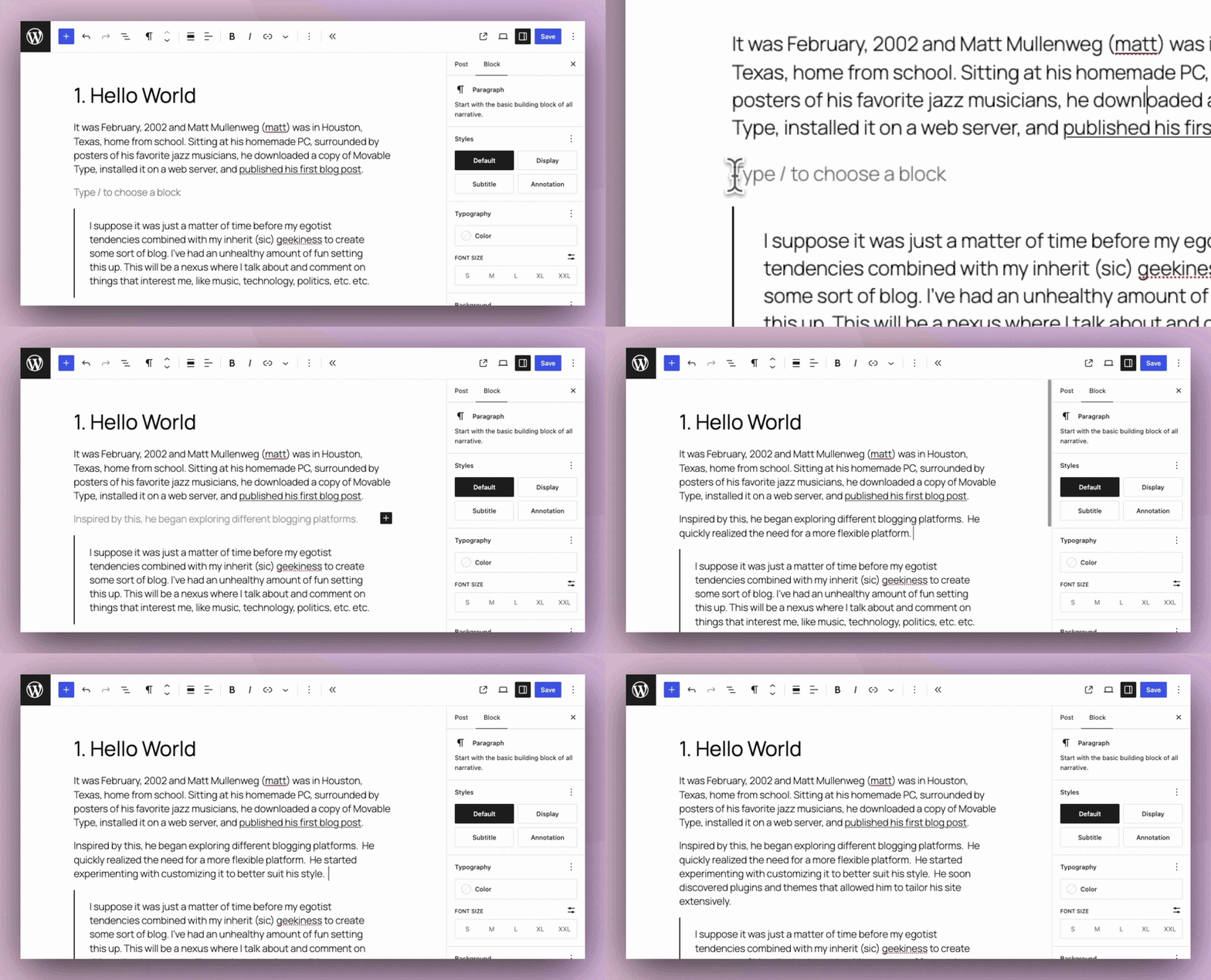
An experimental type-ahead feature in the Block Editor can suggest how a sentence might end or what could come next based on the existing content.
A new Content Translation experiment lets editors choose a target language and translate supported Paragraph and Heading blocks, with the option to translate the post title. The translated text replaces the current post content in the editor, where it can be reviewed and adjusted before publishing. Because it focuses on translation rather than multilingual site architecture, the experiment could complement existing tools that manage language versions and publishing workflows while relying on editors or external services for the translation itself.
A new Slug Generation experiment suggests concise, search-friendly permalinks based on the post title and content. Editors can review, edit, regenerate, and apply suggestions from the permalink controls or before publishing.
A new Suggest Reply experiment can generate draft responses to comments left on published content directly from the WordPress Comments screen or Activity dashboard widget. Moderators can choose a tone and review or edit each suggestion before publishing it.
Looking ahead, the team is exploring semantic search (finding content based on meaning rather than exact words), suggestions for related content and internal links, more ways to configure connected AI services, role-based controls, text-to-speech, and Markdown output for published content. The Markdown work could give AI systems a cleaner, more structured version of WordPress content to read as AI-generated answers become an increasingly important channel for content discovery.
Fueled helps shape WordPress 7.1
Contributing to WordPress is closely connected to the work we do with clients. Fueled teams build enterprise WordPress platforms and develop integrations that bring products and services into the WordPress ecosystem, including Google Site Kit and the official beehiiv plugin for WordPress. We also help organizations connect open source technology with the rest of their digital stack. Working on WordPress itself gives us a deeper understanding of the platform today and a role in shaping where it goes next.
We’re proud to have helped shape WordPress 7.1 and the AI tools evolving alongside it. Read the official WordPress 7.1 release announcement for a complete overview of the release.